Empower Your Business with Our Smart Solutions

Scale your business with WhatsApp marketing automation

Transform customer engagement with our powerful WhatsApp marketing platform. Send bulk messages, create chatbots, and automate conversations to boost sales and customer satisfaction.

Trusted by Leading Companies

Join thousands of satisfied clients who trust whatsapp for their business growth

Partner logo
Partner logo
Partner logo
Partner logo
Partner logo
Partner logo
Partner logo
Partner logo
Partner logo
Partner logo
Partner logo
Partner logo
Partner logo
Partner logo
Partner logo
Partner logo
Partner logo
Partner logo
Partner logo
Partner logo
Partner logo
Partner logo
Partner logo
Partner logo
Partner logo
Partner logo
Partner logo
Partner logo
Partner logo
Partner logo
Partner logo
Partner logo
Partner logo
Partner logo
Partner logo
Partner logo
Partner logo
Partner logo
Partner logo
Partner logo

Top companies trust our platform worldwide

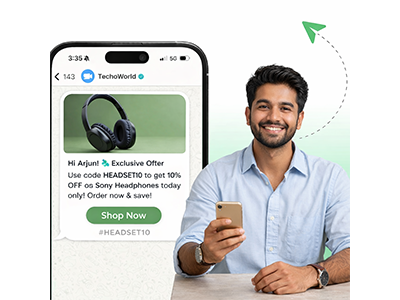
Broadcast Promotional Messages on WhatsApp (Officially)

Enjoy a Limitless Broadcasting experience on WhatsApp

  • 8+ Powerful Messaging Categories Send Promotions, Offers, Coupon codes, Carousels and More- Risk-Free!
  • Add CTAs. Drive 3x Conversions Turn conversations into conversions with eye-catching CTA and Quick Reply buttons
  • Schedule your WhatsApp messages Streamline your work, Schedule Broadcasts 2 months ahead of time

Reach thousands of customers instantly using official WhatsApp Business APIs. Send promotional messages without risk and stay fully compliant with WhatsApp policies.

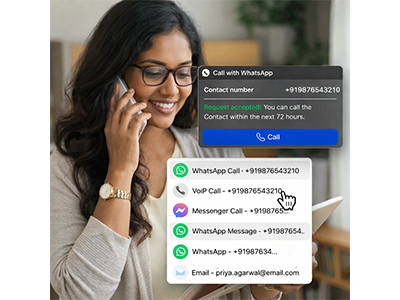
Connect with Customers Instantly on WhatsApp

Calls, messages, and automated conversations, all in one powerful WhatsApp marketing platform.

  • One tap to chat or call your business on WhatsApp.
  • Instantly connect with customers after consent.
  • Send automated yet personal messages at scale.
  • Let customers reach you via WhatsApp, email, or VoIP.
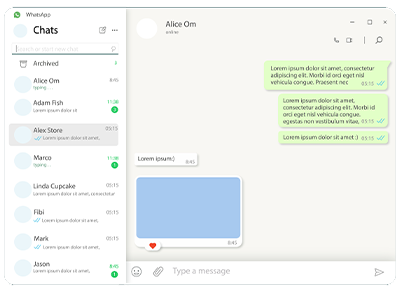
  • Manage all customer conversations from one platform.

Connect with your customers instantly through calls, messages, and automated conversations on WhatsApp the platform they trust the most.

No-code, drag-and-drop Bot Flow Builder

Create AI-powered WhatsApp chatbots easily with our no-code drag & drop flow builder. Automate chats, capture leads, and engage customers 24 7.

  • Free up your team! Automatically reply to customer messages on WhatsApp using AI.
  • Transfer complex cases to human agents for better support and customer experience.
  • Automatically trigger custom message flows based on keywords messages for maximum engagement.
  • Keep your WhatsApp active round-the-clock with automated responses and lead collection.

all without writing a single line of code.

Ecommerce Integration & Personal AI Assistant & Knowledgebase

no team require, ai will manage it everything

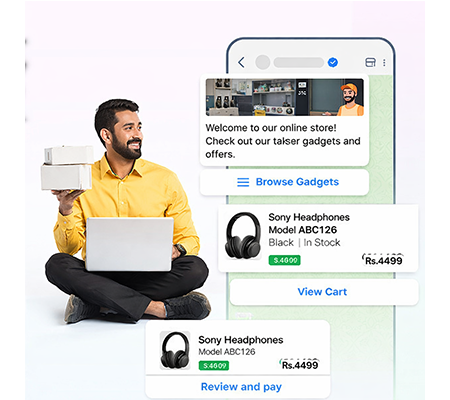
  • Automate WhatsApp Notifications with Ecommerce Webhooks
  • AI WhatsApp Assistant | Automate Conversations & Support
  • Engage Customers Smarter with Personal AI Assistant & Knowledgebase
  • Answer common queries instantly with AI-powered responses.

Trigger WhatsApp messages instantly with ecommerce events. Automate cart, checkout, and payment notifications for higher engagement and conversions.

What our clients say

Access top-tier group mentoring plans and exclusive professional benefits for your team. 🔥

FAQ

Knowledge base

You can upgrade your plan from your billing dashboard. Navigate to Subscriptions > Upgrade and select your desired higher-tier plan. The upgrade will be prorated, meaning you'll only pay the difference for the remaining billing period. Payment is required immediately to activate the upgrade.

To downgrade, go to Subscriptions > Downgrade and choose a lower-tier plan. Downgrades are processed immediately, and any credit from the price difference will be applied to your account for future billing cycles.

Your billing cycle depends on your plan's billing period (monthly or yearly). The cycle starts from your subscription activation date and renews automatically unless you've disabled auto-renewal. You can view your next billing date in your subscription dashboard.

Auto-billing occurs 1 day after your current period ends. For example, if your subscription expires on January 15th, auto-billing will attempt on January 16th. This grace period ensures uninterrupted service.

If auto-billing fails, you'll receive notifications and have a grace period to update your payment method. Failed payments are logged in your transaction history, and you can manually retry payment from your billing dashboard.